

Set up your physical system before the first sale
Selling on Whatnot moves fast. Hosting, reading chat and moving products all compete for your attention. If the plan is “I will remember where that went,” each new purchase adds another thing to remember. A repeatable setup reduces those decisions.
Put empty bins, totes or clearly separated spaces within reach. Leave room for additional buyers and keep unsold stock separate from sold items. Choose one place for items that need a second look, so uncertainty does not quietly become a packing mistake.
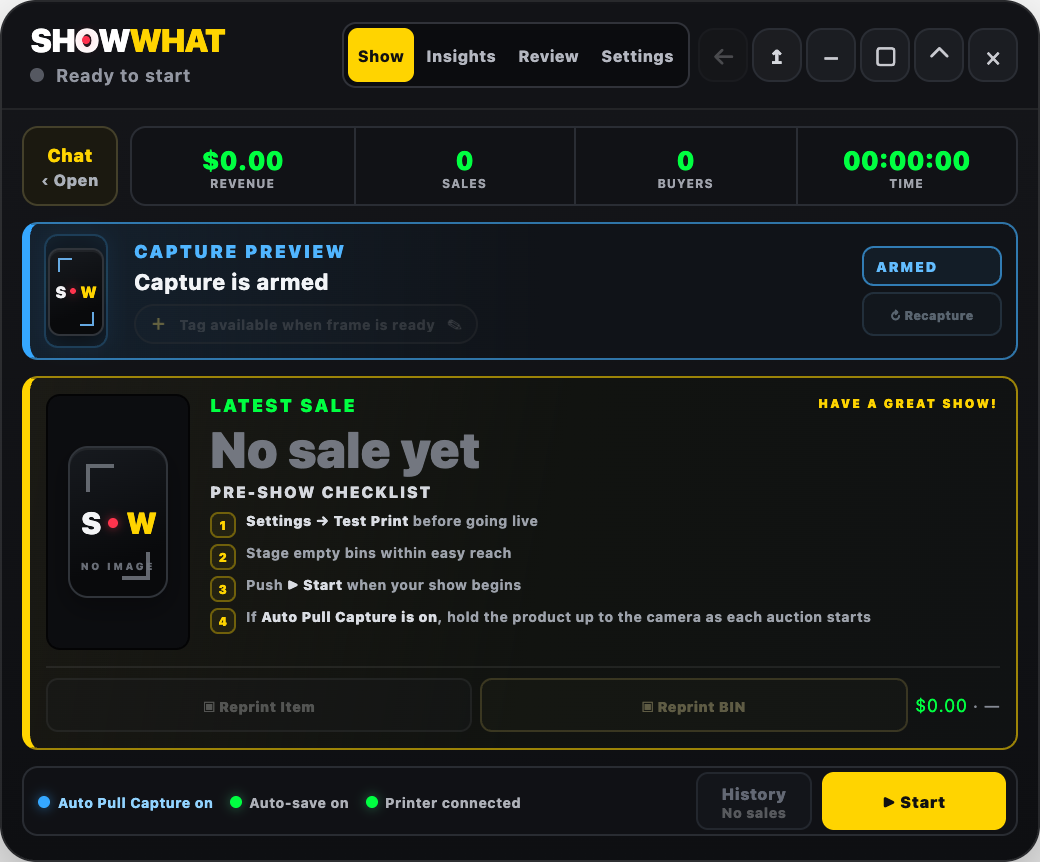
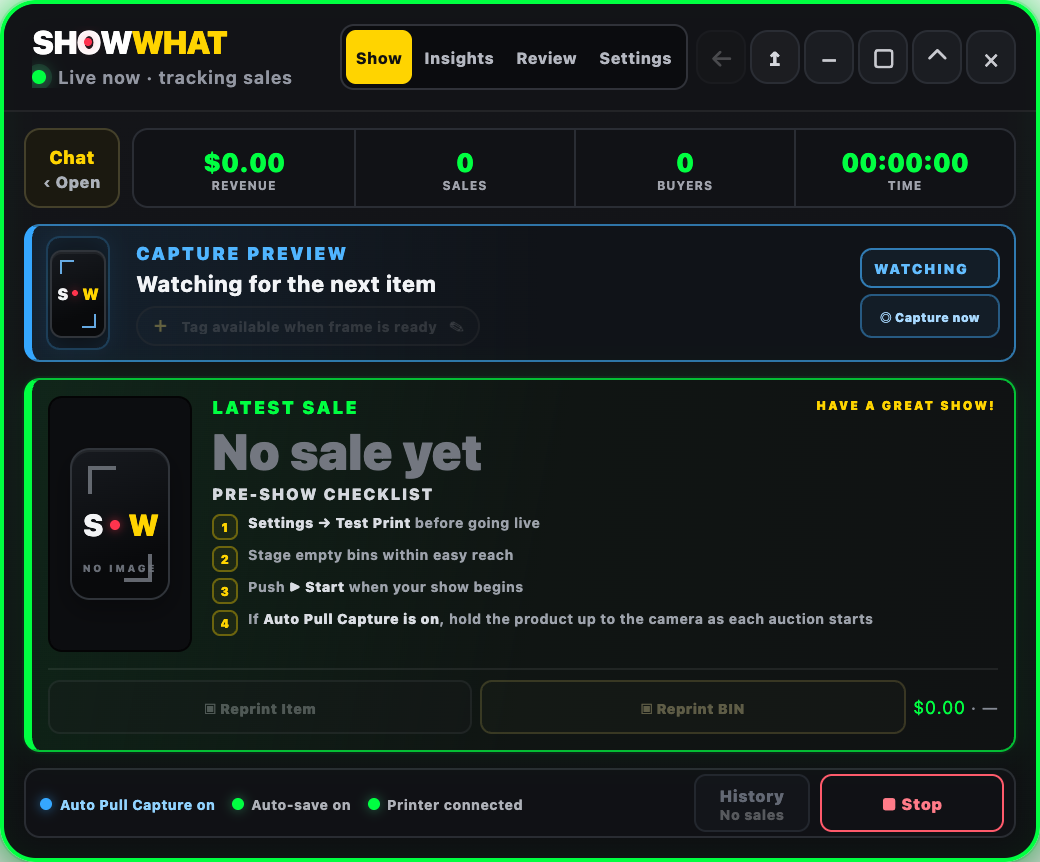
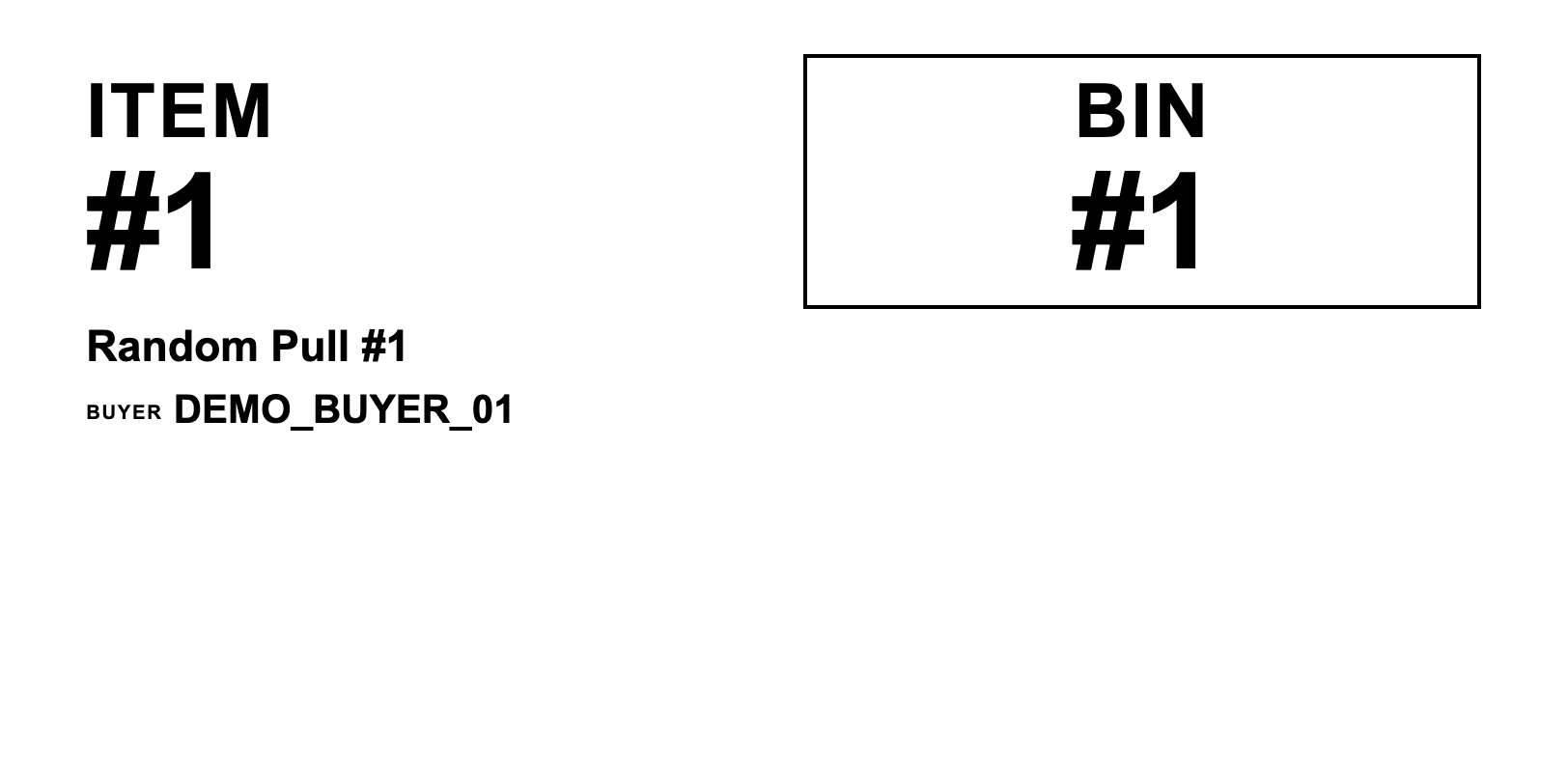
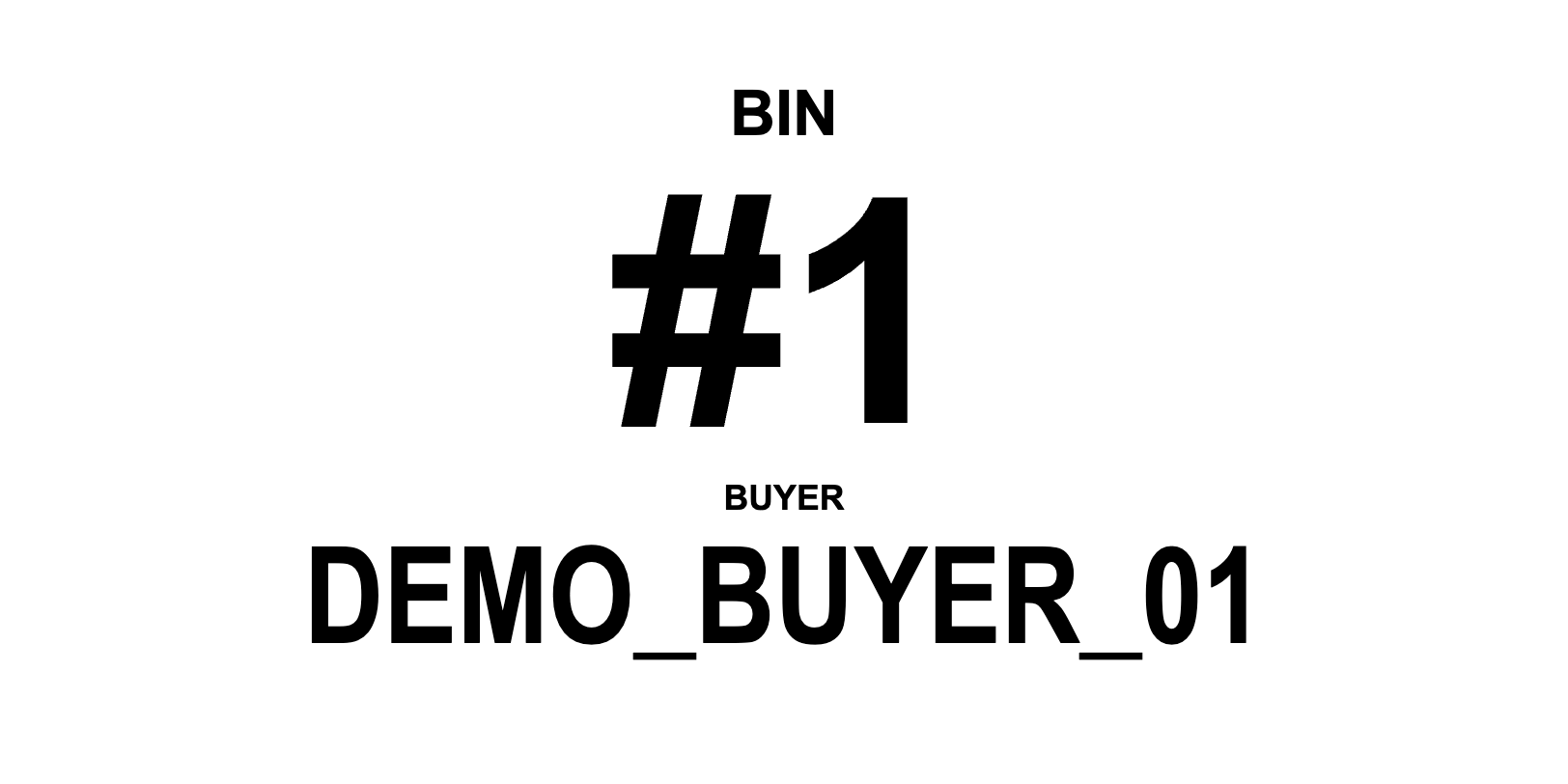
Before the show, select your label size and printer settings in SHOWWHAT and run a test print. Check that the item number, BIN and buyer are readable. Start SHOWWHAT recording when your show begins; its Start control records the session in SHOWWHAT, not the livestream itself.
Sort Whatnot orders by buyer as sales happen
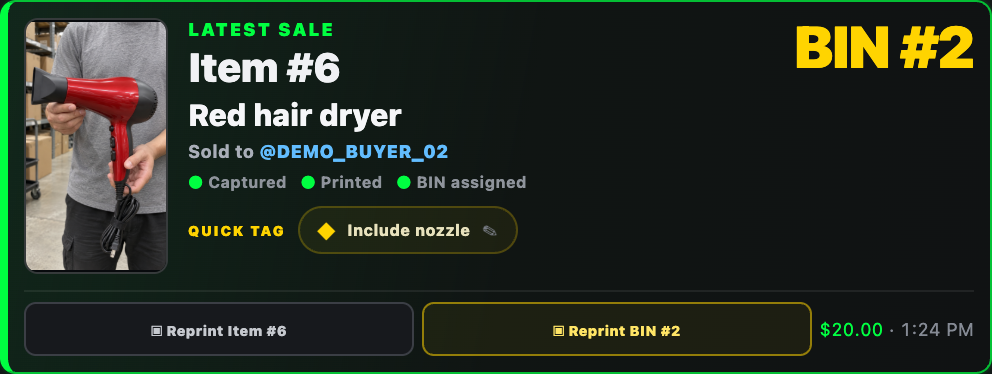
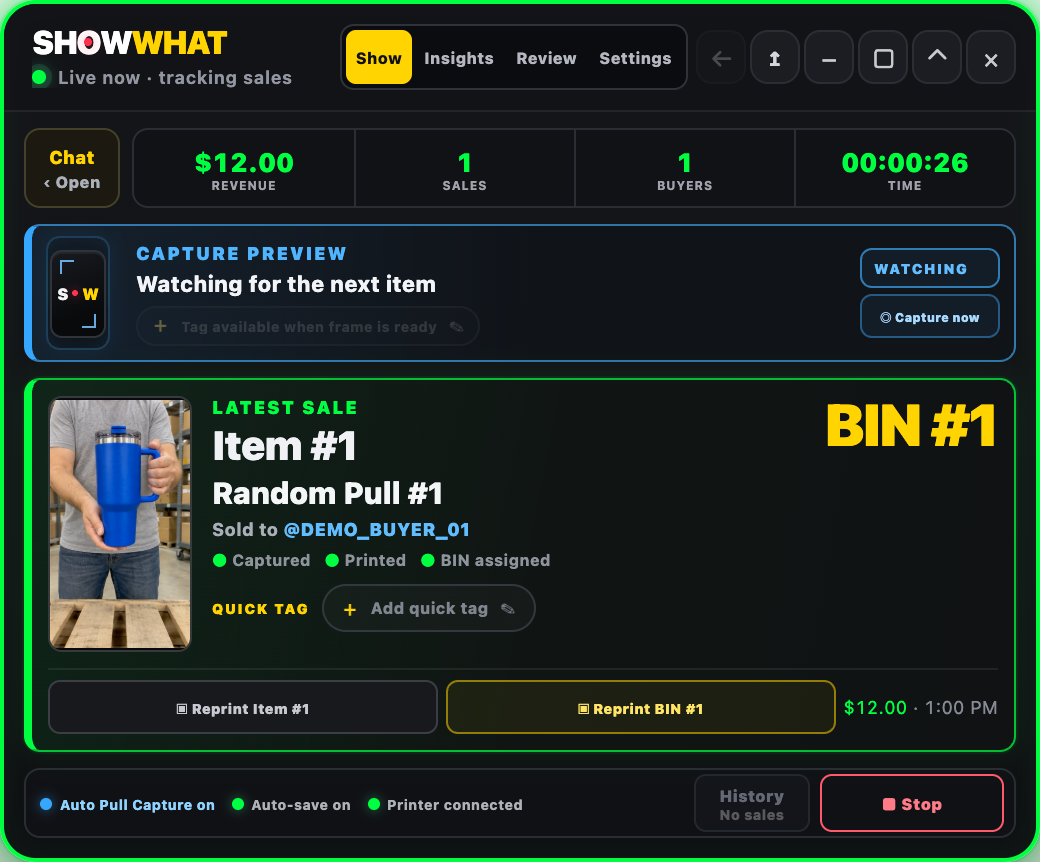
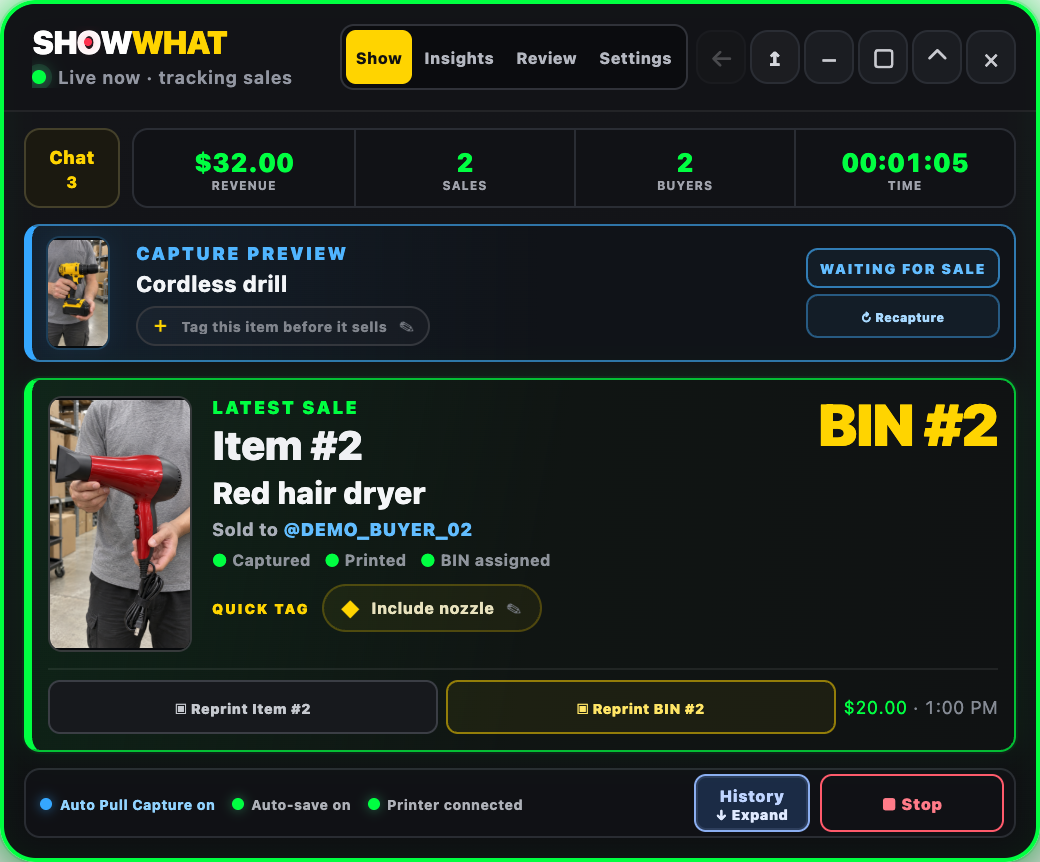
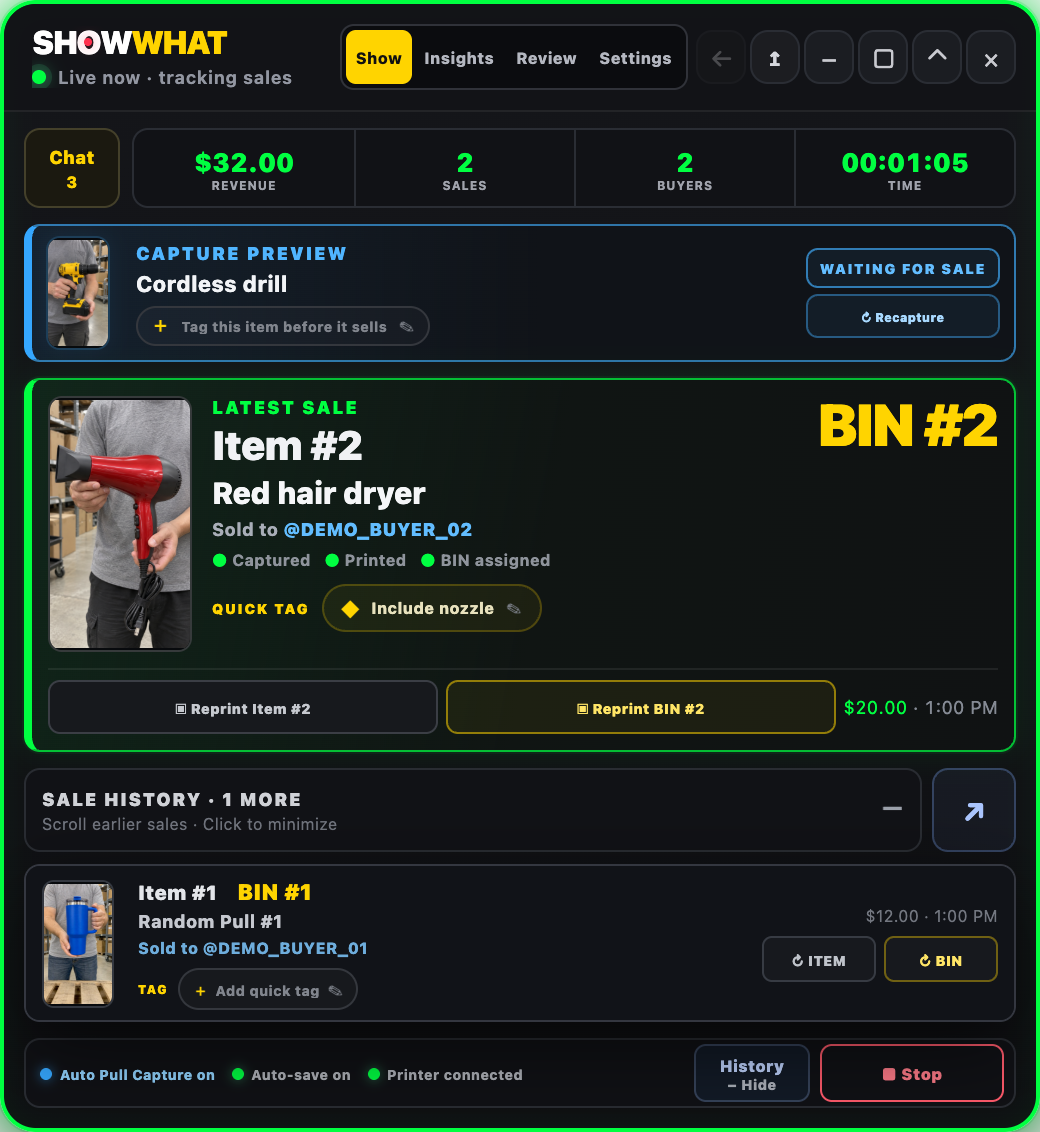
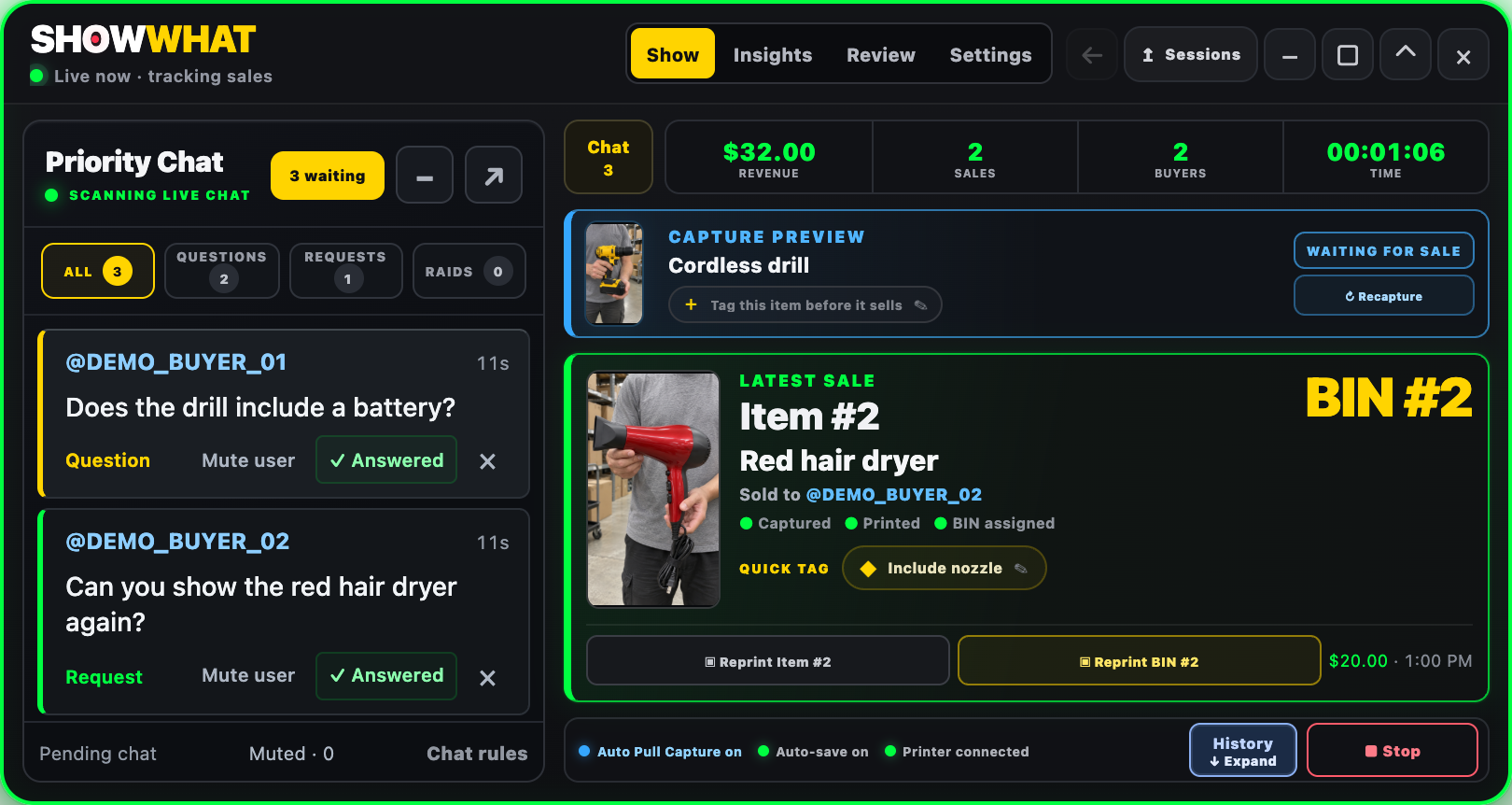
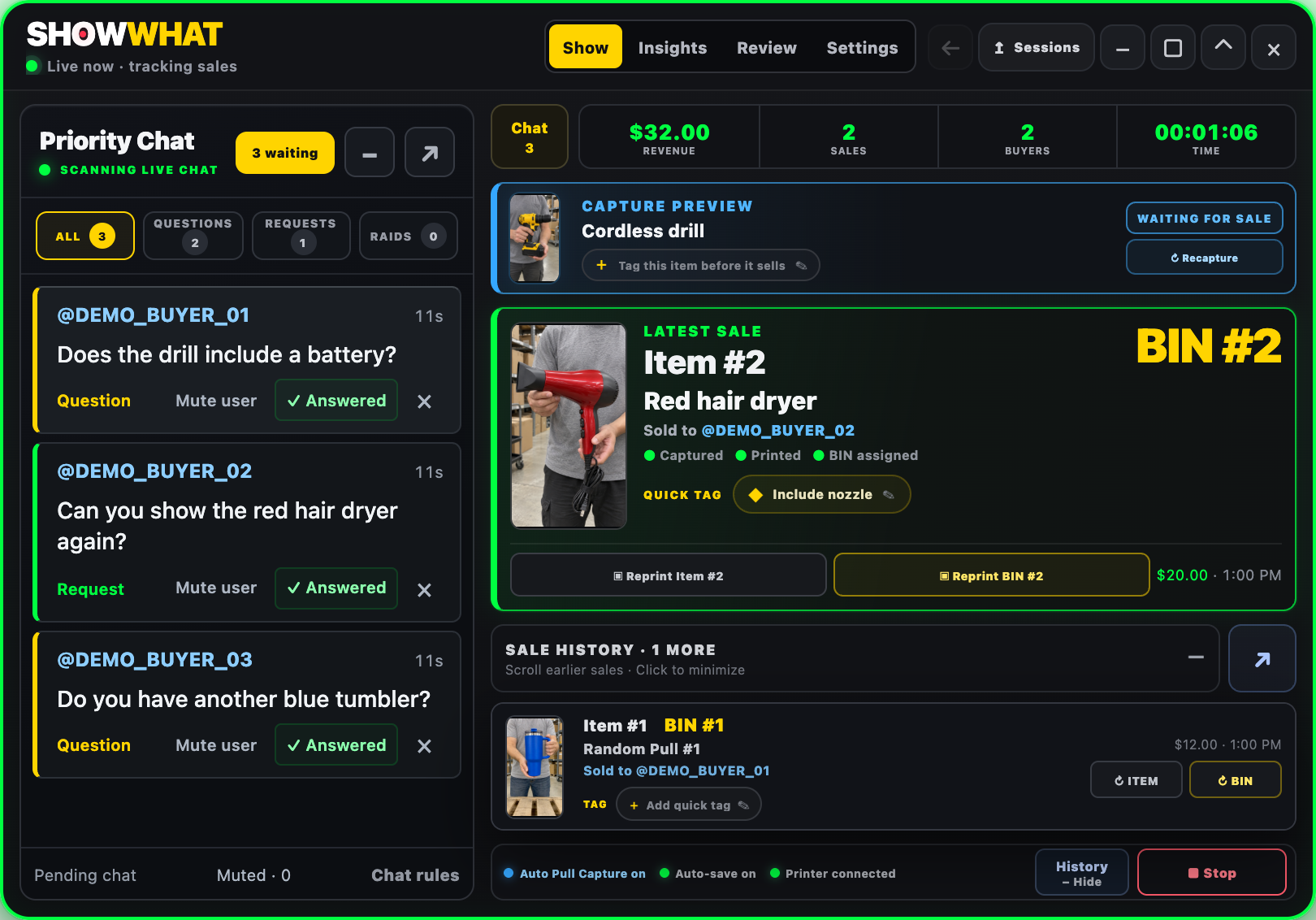
When SHOWWHAT records a sale, the sale card connects the item to a buyer and BIN. A returning buyer stays associated with the same BIN in that session. Place the product there while the connection is fresh, instead of making a mixed pile to untangle at the end.
Keep the two numbers distinct: the item number identifies the individual sale record; the BIN number identifies its physical destination. The buyer name gives you another check. Use a BIN label for the container and an item label for the product. SHOWWHAT’s organization labels are not carrier shipping labels.
If a label is damaged or a helper needs another copy, the card has separate BIN and item reprint controls. Make the same “check the card, check the BIN, place the item” handoff every time. Labels help, but the bigger win is keeping the information connected.
Keep a visual reference for random pulls
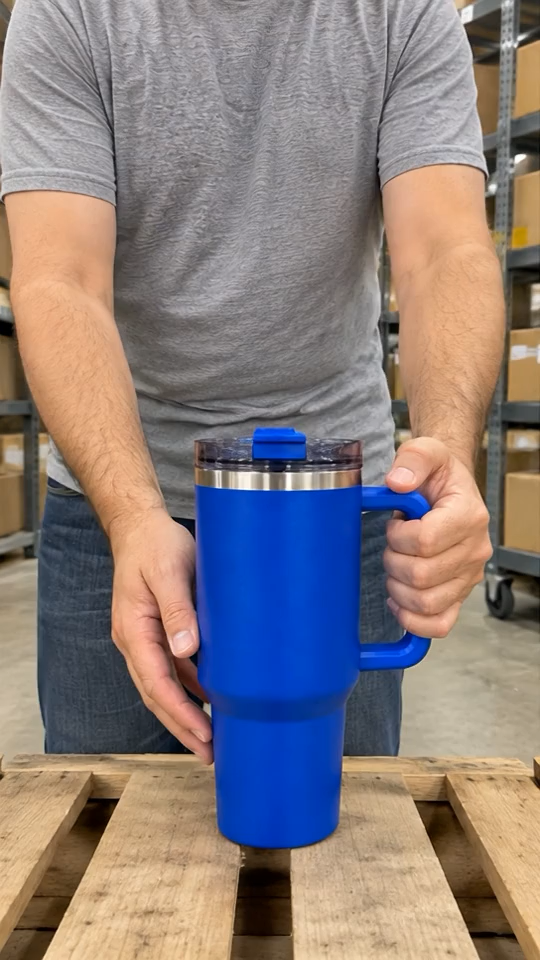
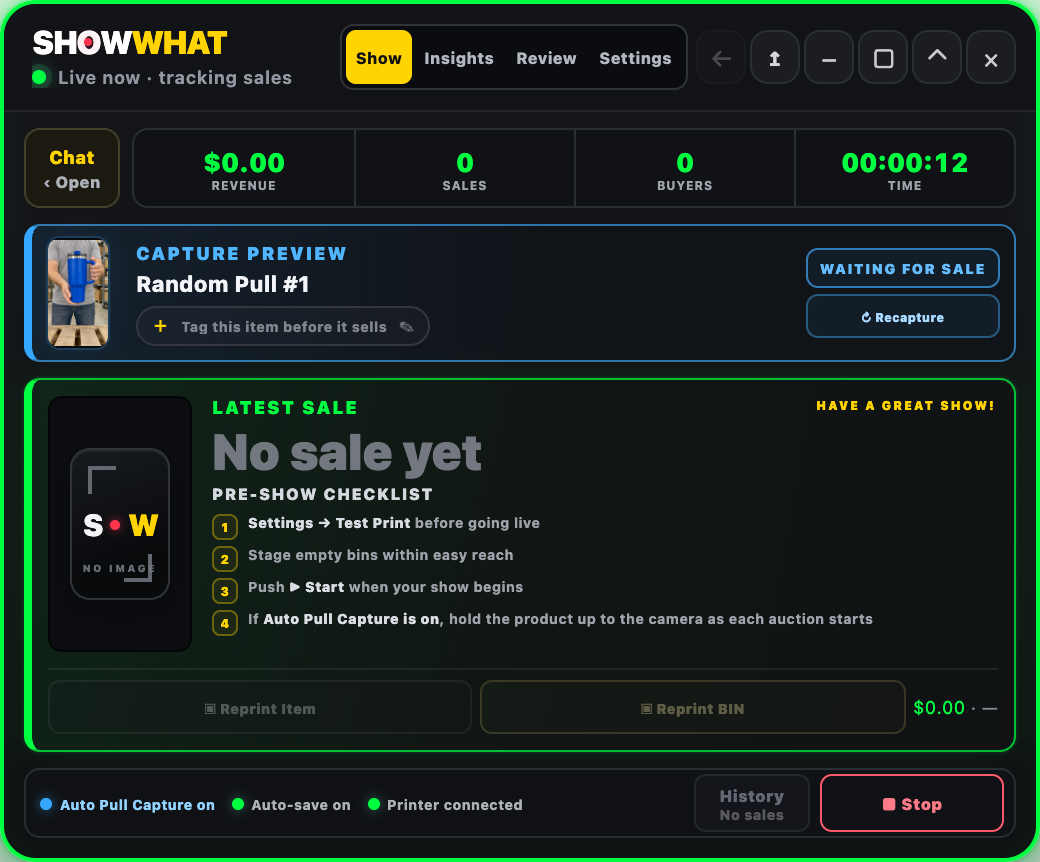
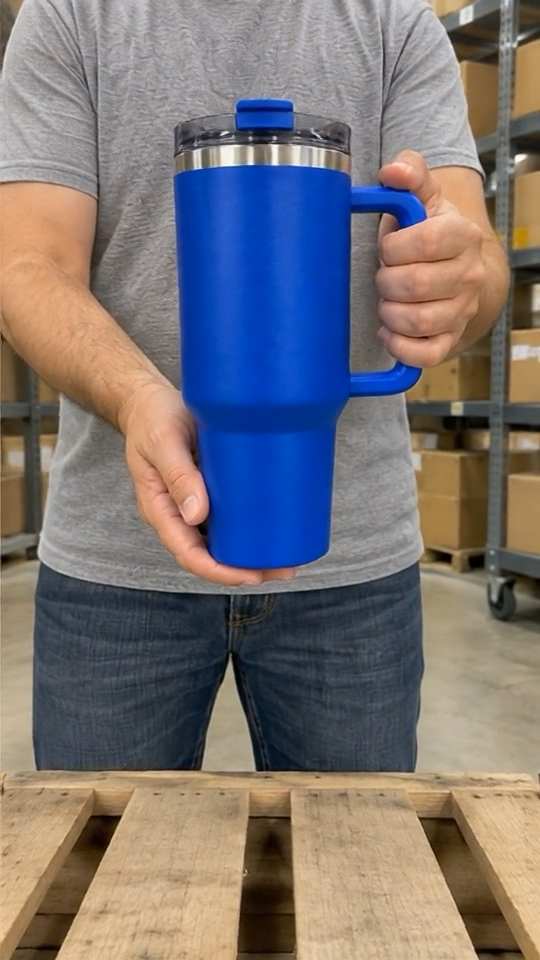
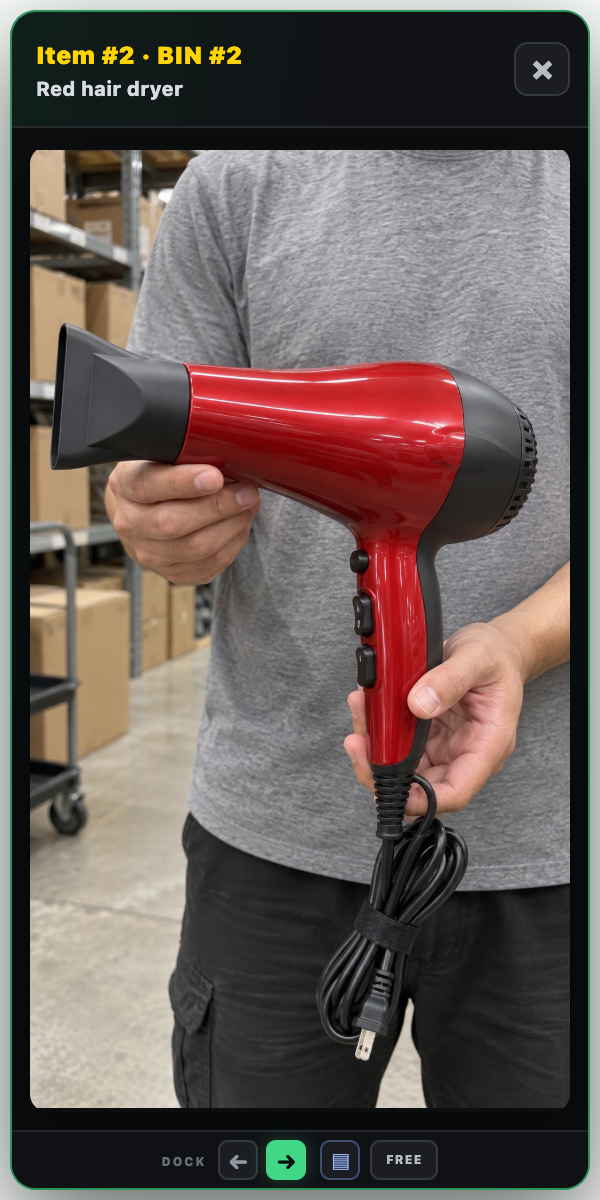
A generic listing title may not tell the packer which physical product a buyer received. Auto Pull Capture adds a visual reference to that workflow. With the option enabled, SHOWWHAT captures a frame at the start of an auction and queues it for the winning sale.
Hold the actual product clearly in view before starting the auction. Check the preview; if the first frame misses the product, use Recapture while that item is active. A short tag such as “Shelf A” or “blue box” can record a useful detail. This is a reference for identifying the item, not a guarantee that every frame will be perfect.
Pick across all orders, then check each buyer’s BIN
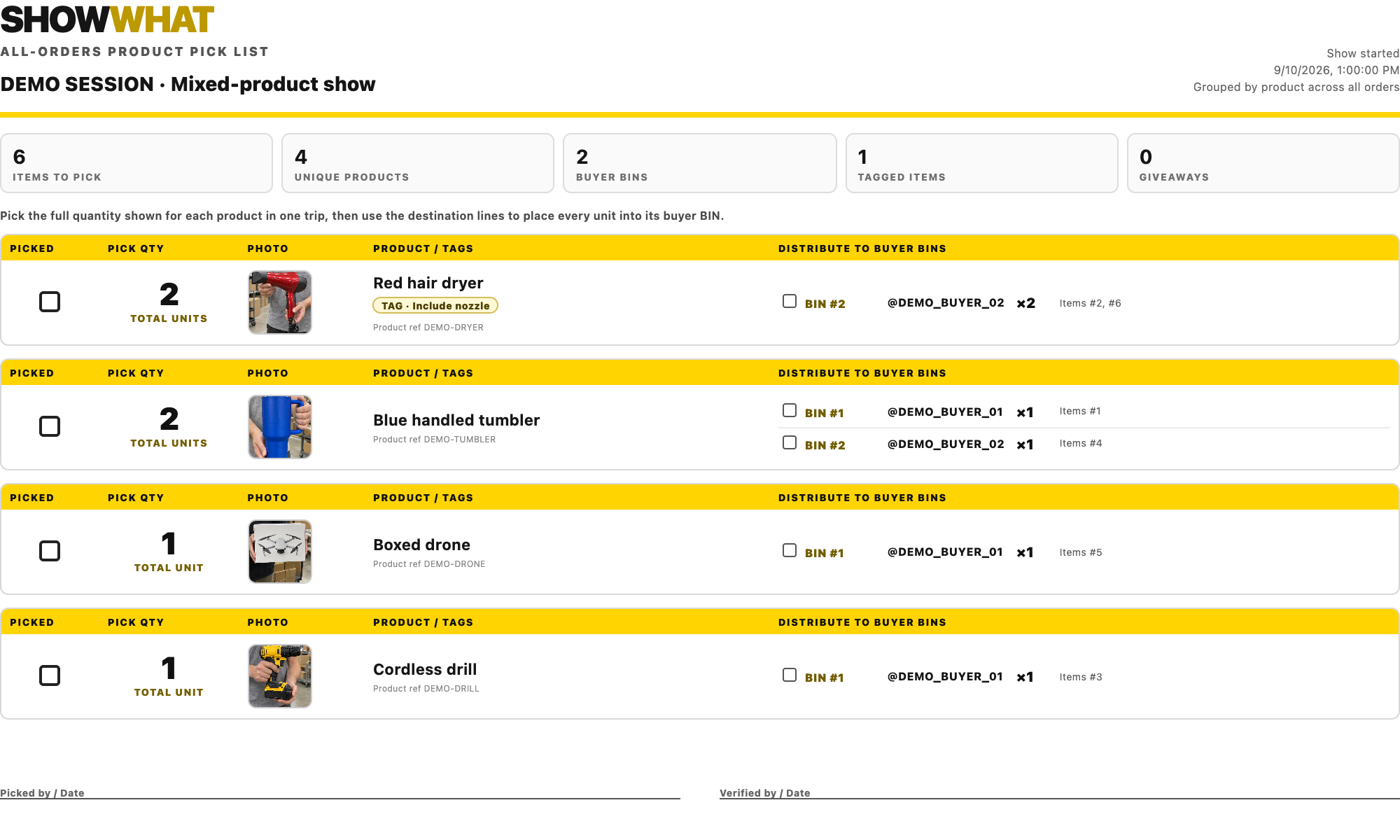
There are two different packing questions: “How many of this product do I need altogether?” and “What goes to this buyer?” SHOWWHAT provides a different report for each, so you do not have to force one list to do both jobs.
The all-orders picklist groups matching product records and totals their units across buyers. Collect that quantity in one pass, then use the listed destination BINs to distribute it. It is especially useful when several buyers purchased the same listed product.
Check variants and random-pull listings before treating a grouped quantity as identical stock. Several different physical items can share a generic listing. The images, tags and individual sale records still matter; matching listing information does not prove that every item is interchangeable.
Finish with a visual, buyer-by-buyer check
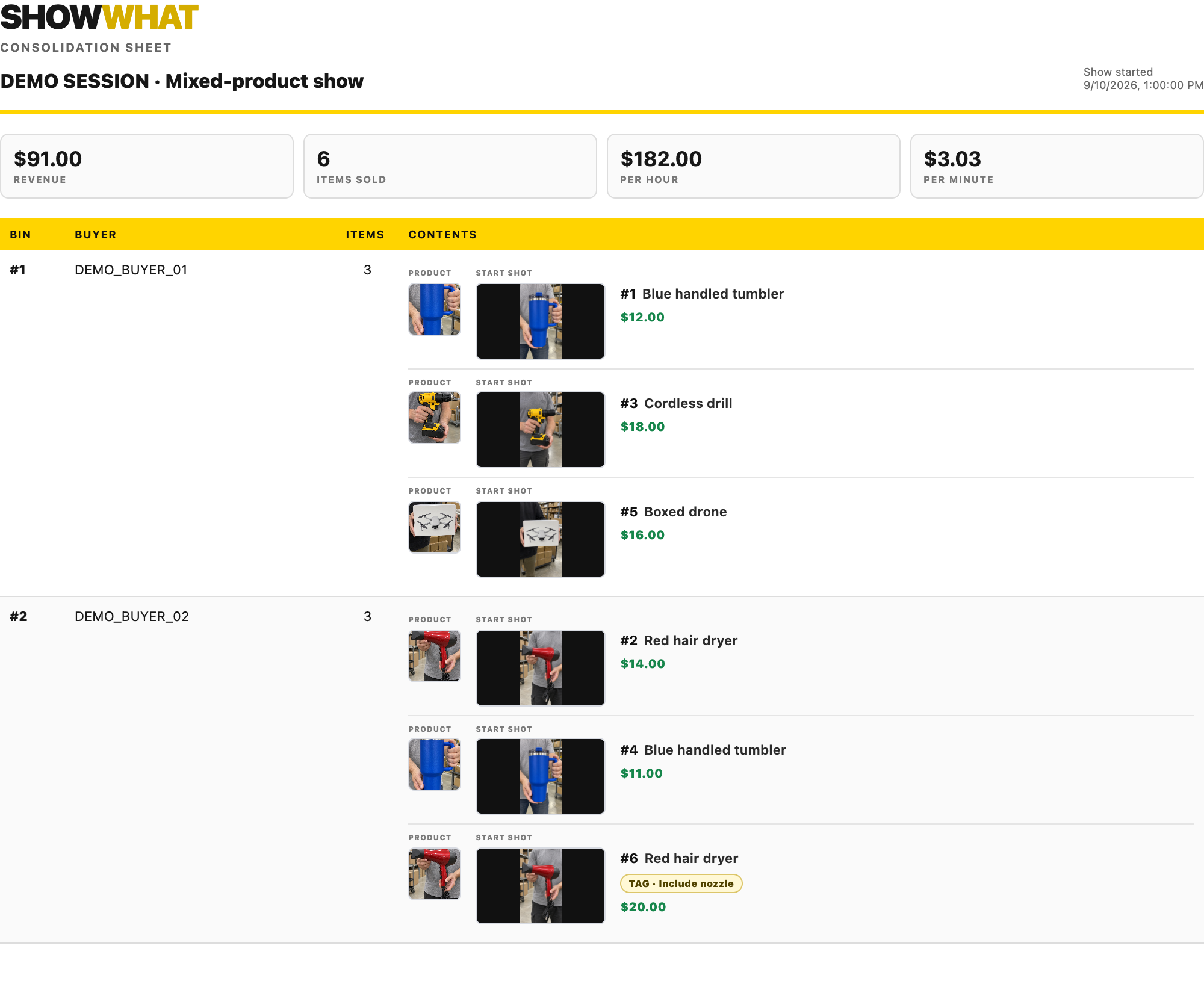
The consolidation sheet organizes items by buyer and BIN and includes product imagery, available start shots and saved tags. Use it to check that the physical contents agree with the recorded session, rather than relying on memory or a wall of product names.
End the SHOWWHAT recording and open Review to print or download the consolidation sheet or picklist. Choose a folder you will recognize, and save the session before clearing it. That gives you a record you can reopen if a question comes up later.
Before sealing a package, reconcile it with Whatnot’s current orders and shipments. Platform changes such as cancellations or shipment grouping still need to be checked there; a local show record is not the final shipping authority.
One system, whether you sell solo or with help
Solo, SHOWWHAT works like an extra set of hands for the information you would otherwise jot down. With a helper, one person can host while the other operates SHOWWHAT and handles BINs. A larger crew can divide hosting, show operations and packing, using the same sale records and exported reports for handoffs.
Those are ways to divide the work, not a promise of a shared, multi-user cloud workspace. The goal stays the same: organize as you sell, and give the next person enough information to act without guessing.
Common questions
What is the easiest way to organize Whatnot orders?
Use one clearly labeled BIN or space per buyer during the session, keep repeat purchases together, and check each item against its sale record as you place it. Finish by reconciling the BIN with the current platform shipment before packing.
Is the picklist the same as the consolidation sheet?
No. The all-orders picklist totals matching product records across buyers. The consolidation sheet groups the items by buyer and BIN and includes available images and tags. Use the first to collect stock and the second to check a buyer’s contents.
Do I need someone helping me to use SHOWWHAT?
No. A solo seller can operate it alongside the show. A helper can instead handle the app and physical sorting while the host focuses on selling. Build the workflow around the space and help you have.